Why Your Business Needs an API Integration Specialist — Not Just a Web Agency
You've got a website. It looks good, loads fast, and maybe even ranks decently on Google. But behind the scenes, your business runs on a patchwork of disconnected tools - a CRM here, a payment processor there, a project management app, an email marketing platform, a spreadsheet that somehow became mission-critical.
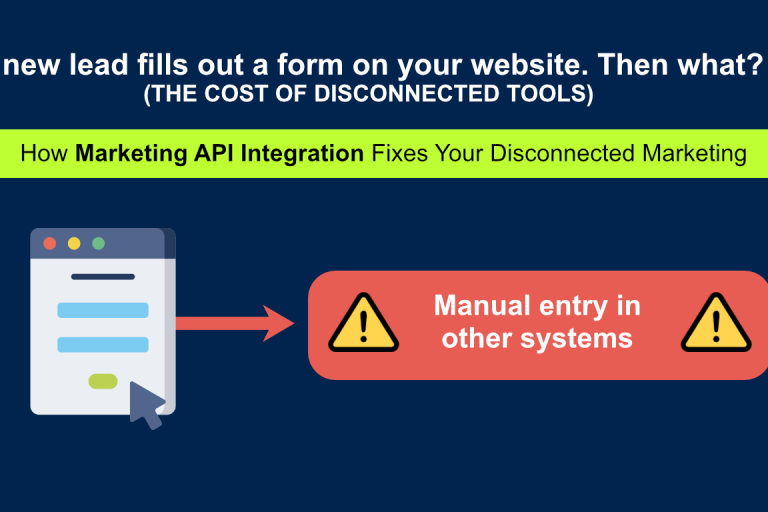
None of them talks to each other. And every day, someone on your team is manually copying data from one tool to another, wasting hours on work that a machine should be doing.
This is where most businesses hit a wall. They hired a web agency to build a website - but what they actually need is someone who understands API integration.
What Most Web Agencies Get Wrong About API Integration
A traditional web agency designs and builds websites. They'll give you a beautiful homepage, a contact form, and maybe an e-commerce shop. But the moment you ask them to connect your website to your CRM, sync your orders with your accounting software, or pull live data from an external platform, they're out of their depth.
Web agency API integration usually means one of two things: they'll plug in a Zapier connector and call it done, or they'll subcontract the work to a developer who doesn't understand your business. Neither approach gives you a reliable, maintainable result.
What you actually need is someone who goes beyond the front-end - a developer who understands how your business tools work under the hood and how to make them communicate. That means:
- Your website contact form automatically creates a lead in HubSpot, notifies your team on Slack, and triggers a follow-up email sequence - all without anyone touching a keyboard.
- A new Stripe payment automatically generates an invoice in your accounting software and updates your internal dashboard.
- Your podcast episodes, published on Buzzsprout, automatically appear on your website with full episode details, artwork, and an embedded player.
These aren't hypothetical examples. These are real integrations I've built for my clients. I'm Danko, and for the past 15+ years, I've been helping businesses connect their tools and eliminate manual work through custom API integration services.
The Hidden Cost of Not Having API Integration
Most business owners don't think of manual data entry as a "cost." But it is - and it's bigger than you think.
Let's do the math. Say your team spends 30 minutes a day copying data between tools. That's 2.5 hours per week. Over a year, that's 130 hours — more than three full work weeks — spent on work that an API integration could handle in milliseconds.
And that's just the direct time cost. The indirect costs are worse:
Errors multiply. Every time a human copies data, there's a chance of a typo, a missed field, or a duplicated record. One wrong number in a spreadsheet can cascade into billing mistakes, missed follow-ups, or inaccurate reports.
Response times suffer. If a lead fills out your contact form at 8 PM and nobody manually enters it into your CRM until 9 AM the next day, you've lost 13 hours. In competitive markets, the first business to respond wins the client. API integration makes that response instant.
Your team burns out on busywork. Nobody enjoys copying data between apps. When your team is stuck doing repetitive manual tasks, morale drops and turnover increases. Free them from the busywork, and they can focus on work that actually moves the business forward.
Why a Solo API Integration Specialist Beats a Large Agency
Large agencies are great for big branding projects or multi-channel marketing campaigns. But for API integration specifically, they're often the worst choice. Here's why:
API integration is deep, focused work. It requires understanding your specific business logic, your data structures, and the quirks of each API you're connecting. This is not assembly-line work you can hand off to any available junior developer. It requires one person who holds the full picture in their head.
Large agencies staff projects with whoever is available. Your integration might be scoped by a senior developer but built by a junior one who's juggling three other projects. The result is fragile code, poor error handling, and an integration that breaks the moment something unexpected happens.
The overhead is real. At a large agency, you're paying for project managers, account managers, office space, and corporate infrastructure. For a custom API integration that might take 1–3 weeks of focused development, those overhead costs can double the price without adding any value.
When you work with me, you talk to the person who builds your integration. There's no account manager playing on the telephone. No project manager adding overhead. You describe the problem, and the person who solves it hears you directly. That means faster decisions, fewer misunderstandings, and a solution shaped by someone who actually understands your business.
I build for maintainability because I'm the one who maintains it. When I build an integration, I know there's a good chance I'll be the one keeping it running in six months. That gives me a strong incentive to build it clean, document it well, and keep it simple. Agency developers, who'll never see the project again after delivery, don't have that same incentive.
What to Look For When Hiring an API Integration Specialist
Whether you choose to work with me or someone else, here's how to evaluate any developer or agency offering API integration services:
Deep technical expertise. They should be comfortable working with REST APIs, webhooks, OAuth authentication, and rate limiting. Ask about error handling — what happens when an API call fails? If they don't have a clear answer, they're not ready for production-grade integrations.
Experience with your tools. They should have hands-on experience with the specific platforms you use. Integrating Stripe is different from integrating Salesforce, which is different from integrating a legacy ERP system. Ask for case studies or examples with similar tools.
A clear process. Professional API integration follows a structured path: discovery (understanding your needs), scoping (mapping the data flow), development (building and testing), deployment (going live), and support (ongoing maintenance). If they can't articulate this process, they're winging it.
Ongoing support. APIs change. Platforms update their endpoints, deprecate features, or change authentication methods. Whoever builds your integration should offer maintenance to keep things running when the underlying APIs evolve.
Real-World Examples: What API Integration Looks Like in Practice
To make this concrete, here are three integrations I've built for real clients:
Podcast Auto-Publishing (Buzzsprout → WordPress) A podcaster was manually uploading every new episode to her website. I connected the Buzzsprout API to her WordPress site so that new episodes are automatically pulled and published - with episode art, descriptions, and player embeds. She hasn't touched the process in over a year. See it live →
Real-Time News Feed (AP News API → WordPress) A client wanted to keep their audience informed with fresh news content, but didn't have the editorial resources to curate it manually. I integrated the AP News API with category filtering and automatic updates, giving them a constantly refreshing news section without any editorial effort.
Automated Lead Management (Website Forms → Notion) A business owner was receiving form submissions by email and manually copying each one into Notion. I connected the forms directly to Notion's API, creating structured database entries automatically. Every lead is now captured instantly, organized, and ready for follow-up.
These are not massive enterprise projects. They're practical, focused integrations that save real hours every week for small and mid-sized businesses.
How to Get Started
If you're recognizing the inefficiencies in your own business, here's a simple path forward:
Step 1: List your tools. Write down every software tool your business uses daily — CRM, email marketing, project management, payment processing, spreadsheets, and communication apps.
Step 2: Map your manual processes. Identify the places where data moves between tools manually. Where are you copy-pasting? Where are you exporting CSVs? Where are you doing the same data entry twice?
Step 3: Prioritize by impact. Not every manual process needs to be automated. Start with the one that wastes the most time, causes the most errors, or slows down revenue-generating activities.
Step 4: Talk to me. A 30-minute discovery call is free, and it's usually enough to map out what's possible and what makes sense for your business. Book a free discovery call here.
The Bottom Line
Your website is just one piece of your digital infrastructure. The real power comes from connecting everything - your site, your tools, your data - into a system that works together automatically.
That's what I do. Not just build websites, but build connected systems that run smarter, respond faster, and waste less. If you're spending hours every week on manual data work that a machine could do in seconds, let's talk.