
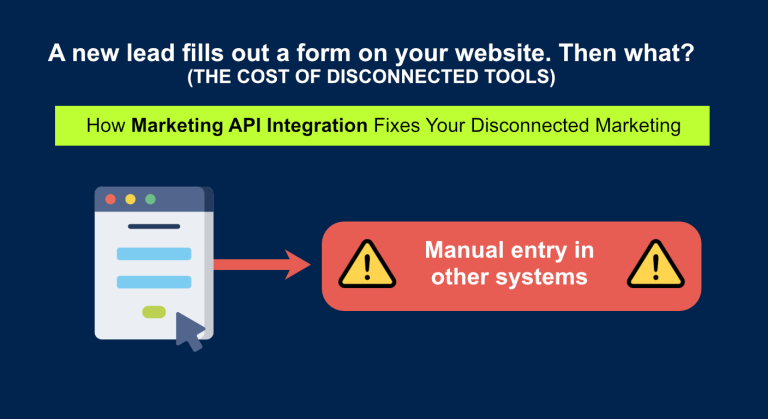
A new lead fills out a form on your website. Then what?
On most marketing teams, the answer is the same: someone copies that lead into the CRM by hand, adds them to a Mailchimp list, maybe drops them into a spreadsheet for the weekly report, and your ad platforms never find out the lead converted at all.
That is the hidden cost of a disconnected marketing stack. Each tool works fine on its own, but they don't talk to each other, so your team becomes the integration: copying, pasting, and reconciling data between apps instead of doing marketing.
Marketing API integration fixes that. In this guide, I'll explain what it is, which tools are worth connecting, when an off-the-shelf tool is enough versus when you need a custom build, and what to look for if you decide to hire help.
What is marketing API integration?
An API ("application programming interface") is the doorway a software tool exposes so that other software can read and write its data automatically. Marketing API integration is the work of connecting your marketing tools - CRM, email platform, ad accounts, analytics, forms- through those APIs so information flows between them without anyone touching it.
It's a specific slice of custom API integration . "Marketing" integration has its own quirks: ad platforms throttle how often you can call them, CRMs have custom fields unique to your business, and consent and attribution data have to stay accurate as it moves. Getting it right is less about plugging in connectors and more about mapping your data correctly.
The goal is simple to state: a lead, a sale, or a campaign result should only ever be entered once, and every tool that needs it should get it automatically.
Why disconnected marketing tools quietly cost you money
When your stack isn't connected, the damage rarely shows up as one big bill. It leaks out in small ways:
- Wasted hours. Manual exports and imports between tools can eat 5–15 hours a week across a small team — time that produces nothing.
- Data silos. Your CRM, your email tool, and your spreadsheet each hold a slightly different version of the truth, and no one trusts the numbers.
- Broken attribution. When a deal closes in your CRM, Google Ads and Meta never hear about it — so they keep optimising toward cheap clicks instead of real customers.
- Slow lead response. A lead that sits in an inbox for a day before anyone acts on it is far more likely to go cold. Speed-to-lead is one of the strongest predictors of conversion, and manual handoffs kill it.
None of these is dramatic on its own. Together, they quietly cap how fast you can grow.
The marketing tools are most worth connecting to.
You don't need to integrate everything at once. These are the connections that pay off first.
CRM
Your CRM - HubSpot, Salesforce, Pipedrive - is the system of record for leads and deals. It should receive every new lead automatically and push deal status back out to the tools that need it.
Email and marketing automation
Mailchimp, Klaviyo, and ActiveCampaign. When the CRM and the email platform are in sync, a lead lands in the right sequence the moment they convert — and unsubscribes and tags stay consistent in both places.
Ad platforms
Google Ads and Meta. The highest-value integration here is offline conversion upload: sending closed deals back to the ad platforms so their algorithms learn which clicks turn into customers. This often improves ad efficiency more than any change to the ads themselves.
Analytics and dashboards
GA4, Looker Studio. Pulling spend, leads, and revenue into one live dashboard means you stop assembling reports by hand and start seeing performance in real time.
Forms, spreadsheets, Notion and Airtable
The everyday glue. Website forms should flow straight into your CRM and notify the right person, and any spreadsheet or Notion database your team relies on can be kept current automatically.
Real marketing API integration use cases
A few concrete flows I've built or see requested most often:
- Form → CRM → email sequence. A website form submission creates a CRM contact, assigns an owner, and enrols the lead in the correct nurture sequence — within seconds, with no manual step.
Closed deals → ad platforms. When a deal is marked "won" in the CRM, it's sent to Google Ads and Meta as an offline conversion, so ad spend optimises toward revenue.
- Live performance dashboard. Ad spend, leads, and pipeline value are pulled from every platform into a single dashboard that's always current.
- Lead scoring sync. A lead's score, calculated from behaviour across tools, stays identical in the CRM and the email platform so sales and marketing act on the same signal.
Off-the-shelf tools vs. custom integration
You have two honest options, and one isn't always better than the other.
Off-the-shelf automation tools like Zapier, Make, n8n are fast to set up and inexpensive. For straightforward, low-volume flows ("new form entry → add CRM contact"), they're often the right call, and I'll tell you when they are.
They start to struggle when you need:
- high volume, where per-task pricing or rate limits become a problem;
- complex logic- conditional routing, data transformation, deduplication;
- custom CRM fields and non-standard data mapping;
- careful handling of API rate limits and authentication;
- reliability you can monitor and trust for business-critical data.
Custom marketing API integration is built directly against the platforms' APIs for your exact stack. It costs more up front, but it's tailored, efficient at scale, and far easier to maintain as your tools change.
A good integration partner will recommend the off-the-shelf route when it genuinely fits — paying for a custom build you didn't need helps no one.
How a custom marketing integration project works
A custom project doesn't have to be a black box. Mine follows four steps:
1. Audit. We map your current tools, where data lives, and where the manual work is.
2. Map the data. We decide exactly which fields move where, and what the "source of truth" is for each piece of data.
3. Build and connect. I build the integration against each platform's API, handling authentication and rate limits.
4. Test and monitor. We verify with real data, then put monitoring in place so you're alerted if anything breaks.
You can see the full version of this process on my custom API integration services page.
Choosing a marketing API integration agency
If you decide to bring in help, a few things separate a safe choice from a risky one. Look for someone who:
- Works with your actual stack — they should already know your CRM and ad platforms, not learn them on your budget.
- Plans for the hard parts — authentication, API rate limits, deduplication, and error handling are where integrations fail. Ask how they handle each.
- Monitors after launch — an integration is only useful if it keeps running. Ongoing monitoring should be part of the deal.
- Scopes the work clearly — you should get a defined scope and price, not an open-ended hourly arrangement.
This is also where a specialist often beats a large agency. With a solo specialist, you work directly with the person building the integration — no account managers, no hand-offs, and no one learning your tools at your expense.